Free Cleaning Invoice Template (Excel, Google Sheets, PDF)
Bill your cleaning work clearly. Itemize completed work, record payments and show the remaining balance with an editable invoice.
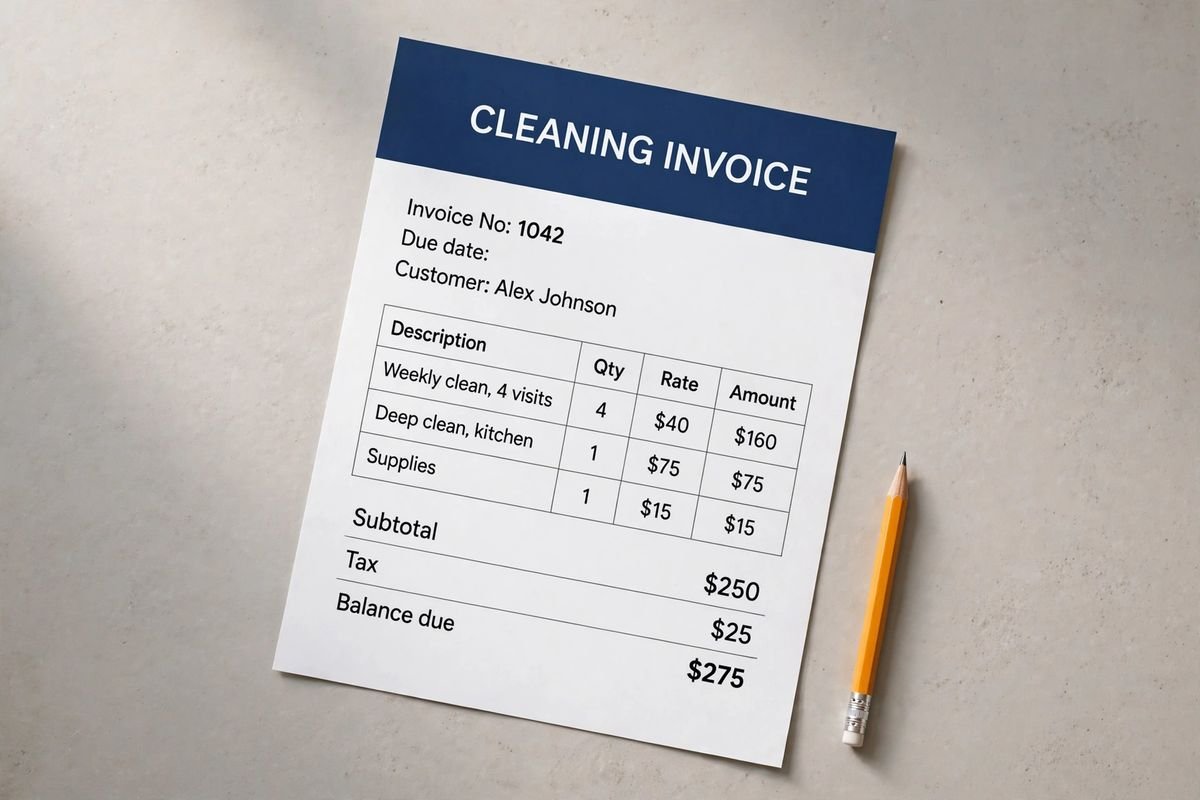
Illustrative document mockup · Cleaning Invoice↗ Open full size (new tab)
Download your cleaning invoice template
No signup needed. Excel 2016 or later. For Google Sheets, import the Excel file with File → Import → Upload.
Get the details right
What to include
List rooms or square footage, service frequency and the tasks included. Separate deep-clean extras from recurring work.
- Business and customer billing details
- Invoice number, issue date and due date
- Completed work, quantities and rates
- Taxes, discounts and prior payments
- Balance due and your payment instructions
Make recurring and one-time cleaning bills distinct
State the property, customer and service dates or billing period. For recurring work, the invoice should show which visits are included rather than merely naming a month. For an end-of-tenancy, initial deep clean or other one-time service, identify the completed scope and the original booking reference so the customer can match the bill to the request.
Separate the agreed standard service from approved extras such as interior windows or additional appliance cleaning. If your pricing includes ordinary supplies, avoid charging for them again as an unexplained add-on. Identify any special product or extra time that was authorized, together with its pricing basis. Record adjustments for a skipped or revised visit according to the customer's arrangement.
Apply deposits, credits and payments received before showing the remaining amount. Payment instructions should include the invoice number and a route for questions about particular visits or tasks. Keep detailed task checklists and completion notes in the job record, with only relevant references on the invoice. This supports clear recurring billing without turning a customer-facing document into an unnecessary record of private access instructions.
How to fill it in
- Identify the cleaning visits
Enter the property, booking reference and completed service dates.
- Match standard work and approved extras
Separate routine visits, deep-clean tasks and any authorized additional time or products.
- Reconcile credits and payments
Check deposits, skipped-visit adjustments and previous receipts against the billing record.
- Send a clear customer invoice
State the balance, due date and reference the customer should use when paying or asking about a visit.
A worked example
| Cost or work item | Amount |
|---|---|
| Standard cleaning visit | $180.00 |
| Kitchen deep clean | $65.00 |
| Interior windows | $80.00 |
| Cleaning supplies | $25.00 |
| Subtotal before tax | $350.00 |
Example only. These are not published market rates or a suggested price.
Check the balance due
Verify every formula after adding rows or changing the worksheet. A markup rate is not the same as a profit margin. Your local tax, permit and contract requirements may differ.
Ready to use it?
No signup needed. Excel 2016 or later. For Google Sheets, import the Excel file with File → Import → Upload.
Cleaning invoice guide
How to invoice cleaning clients, one-off and recurring
Cleaning businesses invoice two ways: a single bill after a one-off job (a deep clean or move-out clean), or a monthly bill for recurring clients that lists every visit. Either way, the client should be able to see which visits and extras they are paying for without messaging you. This guide shows how to set a per-visit price and builds a month's invoice for a biweekly client.
1. What a cleaning invoice needs
- Your business name, phone and email, and the client's name and service address.
- Invoice number, invoice date and due date.
- Each visit by date, with the service (standard, deep or move-out clean).
- Extras on their own lines: inside oven, inside fridge, interior windows, laundry.
- Any agreed fees, such as a lockout or late-cancellation fee, with the date it applied.
- Payments received, the balance due and how to pay.
2. Set a per-visit price you can live on
Work out what one visit costs you, then price for the margin you want. Pricing from what a competitor charges is how many cleaning businesses end up busy and broke.
| Per-visit cost | Amount |
|---|---|
| Labor: 2 cleaners × 2.5 hours × $22.00/hour (incl. payroll costs) | $110.00 |
| Supplies | $6.00 |
| Travel | $8.00 |
| Cost per visit | $124.00 |
| Price for a 30% margin: cost ÷ 0.70 | $177.14 → $177.00 |
3. Worked example: biweekly client, November
| Date | Service | Qty | Rate | Amount |
|---|---|---|---|---|
| Nov 4 | Standard biweekly clean | 1 | $177.00 | $177.00 |
| Nov 18 | Standard biweekly clean | 1 | $177.00 | $177.00 |
| Nov 18 | Inside oven | 1 | $35.00 | $35.00 |
| Nov 18 | Inside fridge | 1 | $30.00 | $30.00 |
| Nov 18 | Interior windows | 12 | $6.00 | $72.00 |
| November total | $491.00 |
Example prices only, to show the arithmetic. They are not market rates or a suggested price. Use your own costs and rates, and check your state's tax and consumer rules.
Two standard visits at $177.00 plus $137.00 of extras on the 18th comes to $491.00. Listing each date means the client can match the bill to their calendar, and it settles any “did you come on the 4th?” question before it is asked.
4. Recurring billing tips
- Invoice on the same day each month and say which visits are included.
- Offer card payment or autopay. Recurring clients pay faster when they don't have to do anything.
- Put your cancellation and lockout policy in the service agreement, then reference it on the invoice when you charge the fee.
- Price extras in advance so they are never a surprise on the invoice.
- Sales tax: a few states tax cleaning services; most don't tax residential cleaning. Check your state.
5. Common cleaning invoice mistakes
- Writing only “November cleaning” with one total.
- Adding extras the client never agreed to, or forgetting extras you did do.
- No due date, so the invoice slides to the bottom of the client's list.
- Charging separately for supplies you normally include in the visit price.
More cleaning invoice questions
Should I invoice before or after the clean? One-off jobs are usually invoiced the same day, after the clean. Recurring clients are commonly billed monthly, either in advance or for the visits just completed. Pick one and state it in your service agreement.
Can I add a tip line? Yes. A tip line on the invoice is common in residential cleaning; make it optional.
What about move-out cleans? Quote them first with a cleaning estimate, because the condition varies so much, then invoice against the quote.
The Service Business Paperwork Pack includes this invoice with a client intake form, job checklist and a payment tracker for open and paid invoices.