How to Invoice as a Contractor (and Reduce Payment Delays)
Published by ToolbeltDocs · November 17, 2026 · General business guidance
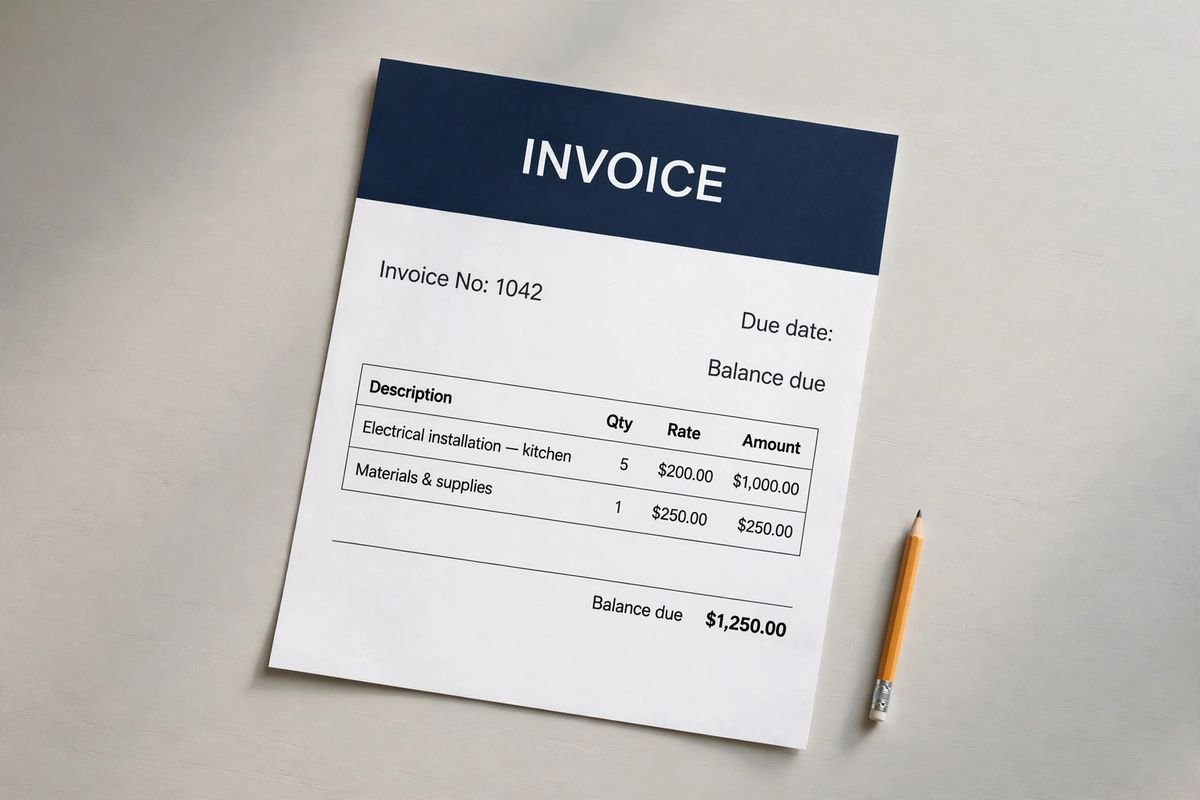
A contractor invoice should tell the customer what is being billed, how the charge relates to the agreed work and what remains to pay. Clear records and timely follow-up can reduce avoidable delays, although no template guarantees faster payment.
Confirm the billing arrangement first
Check the agreed scope, pricing method, billing milestones and customer requirements before creating the invoice. Find out who receives it and whether a purchase order, job number or other reference is needed. Sending a correct bill to the wrong person can create a delay that has nothing to do with the quality of the work.
Use the terms that were actually agreed and are appropriate for the job. Do not invent a due date, late charge or payment milestone after completing the work. If there is a disagreement about what was authorized, resolve the underlying record rather than relying on invoice wording to create approval retroactively.
Give each invoice a unique identity
Include your business name and contact details, customer billing details, service address where useful, invoice number and issue date. Use a numbering system you can maintain without duplicates. A sequential number, project prefix or another consistent approach can work as long as you can trace the invoice in your records.
Reference the accepted estimate, proposal, work order or agreement. Where the invoice covers one stage of a longer project, identify the stage and period clearly. Avoid calling a progress invoice “final” merely because a template example uses that word. The heading should match the amount and work actually being billed.
Describe the billed work clearly
Use specific descriptions that connect to the approved scope. Separate materials, labor and other agreed charges where that helps the customer reconcile the bill. Include quantities and units when relevant. “Services rendered” may be too vague for a customer who manages several properties or must submit the bill to an internal accounts team.
Keep approved extra work identifiable. Reference the relevant change order or other authorization record and avoid mixing proposed extras into completed charges. If supporting documents are needed, provide the relevant information without exposing unrelated customer records or private details.
Calculate the balance, not just the subtotal
Check line amounts and the subtotal, then apply the tax and adjustments appropriate to the transaction. Record payments already received against this invoice or project as required by your accounting process. Clearly distinguish an amount billed from an amount still due so a deposit is not requested a second time.

| Illustrative entry | Amount |
|---|---|
| Completed work subtotal | $1,800 |
| Example tax or adjustment | $0 |
| Payment already received | −$500 |
| Remaining balance | $1,300 |
This example demonstrates the arithmetic only. It does not determine whether tax applies, when revenue is recognized or how a deposit should be accounted for. Use appropriate advice for your location and business. Verify spreadsheet formulas after changing rows, and compare the resulting PDF with the working file before sending.
Make the next step easy to understand
State the actual due date and the payment instructions you use. Make it clear how the customer can identify the payment, such as including the invoice number in a reference. Check the details carefully before sending. If payment instructions change, use a trusted verification process rather than relying on an unexpected message alone.
Provide a contact route for billing questions. A concise accompanying message can identify the project, invoice number, balance and due date without repeating the entire document. Send the customer copy in a format they can open, and retain the editable master separately. ToolbeltDocs does not collect payment through the free invoice files.
Use a repeatable review checklist
- Correct customer and billing contact
- Unique invoice number and issue date
- Reference to the approved job and any changes
- Accurate work descriptions, quantities and line amounts
- Appropriate tax, adjustments and recorded payments
- Clear remaining balance, due date and payment instructions
- Saved copy of the invoice actually sent
A second look is especially useful when an invoice is copied from a previous job. Old addresses, customer names and bank references can survive unnoticed. Create a clean master, make a new job copy and review the whole document rather than changing only the total.
Follow up with records, not assumptions
Track when the invoice was sent, the recipient and any delivery problem. If payment has not arrived by the agreed date, check whether the customer received the bill and whether a reference or document is missing. Keep reminders factual and courteous. Do not assume that a missing payment proves bad faith.
When a customer raises a question, record the issue and the next action. Separate an administrative correction from a genuine scope or pricing dispute. Late fees, collection methods and formal remedies depend on the agreement and applicable rules; a generic invoice template is not authority to impose them.
Connect the invoice to your job records
Start with a relevant contractor invoice template or the construction invoice form. Keep the accepted scope, approved changes, invoices and payment confirmations linked by the same project reference. Mark payments consistently and check the remaining balance before sending a reminder.
The IRS recordkeeping overview explains the role of supporting business documents. Keep records in a system suitable for your business and follow the retention requirements that apply. Organized paperwork makes a billing question easier to resolve, but it cannot guarantee when a customer will pay.